🔗 Link Shortener Settings Guide
🔹 Why is This Feature Important?
The Link Shortener Settings allow you to customize how your deal links appear on social media by using different URL shorteners. This feature helps in:
✅ Making links shorter and cleaner 📝
✅ Enhancing click-through rates 🔄
✅ Improving engagement with subscribers 📊
✅ Ensuring compliance with Amazon Associate policy ✅
🚀 You can choose different shorteners for Amazon, Flipkart, and Other Stores.
🛠️ Step 1: Navigate to Link Shortener Settings
1️⃣ Go to the Affiliate Solution website 🌍
2️⃣ Click on Shortner Link Menu 🔗
3️⃣ Select Manage Shortener 🔽
📸 Example Screenshot:
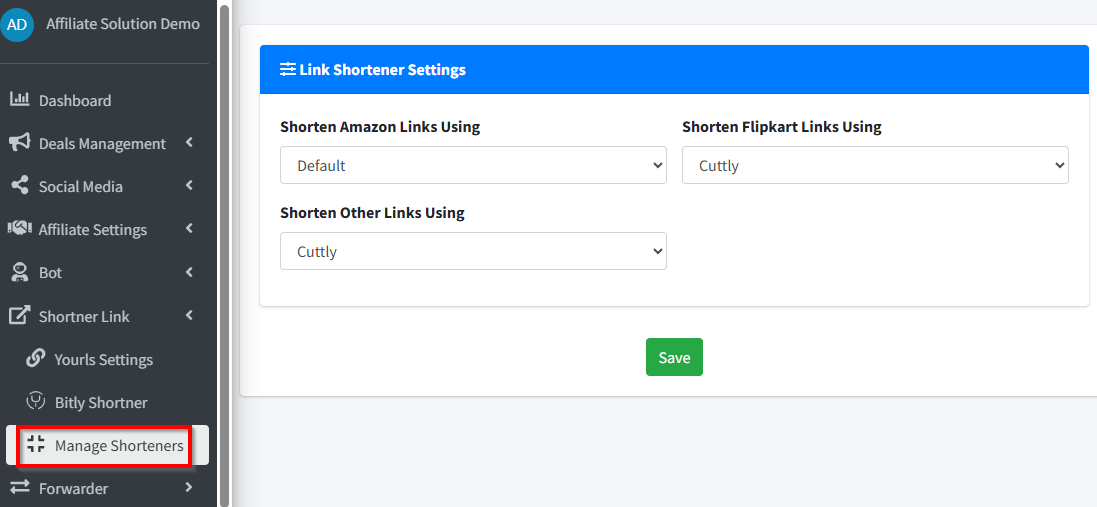
🔄 Step 2: Select Shortener for Each Store
You can choose different URL shorteners for Amazon, Flipkart, and other stores. ✅
1️⃣ Amazon Link Shortener Options:
✅ Default → Posts Amazon links as full URLs 📌
✅ Bitly → Recommended (if you have Bitly tokens) 🔗
✅ YOURLS → Custom URL shortening option 🎯
✅ Amaznlt → Affiliate Solution shortening option 🎯
⚠️ Important note: Amaznlt, Bittli, and cuttli link shorteners are still in the testing phase (Beta). They might not work properly sometimes if there is a heavy load or high traffic. For a 100% smooth experience, we kindly suggest setting up and using your own personal YOURLS system.
💡 Tip: If you don’t have Bitly tokens, use Default to post full URLs, use YOURLS if configured, or follow Step 3 below to automatically generate amzn.to links! 🚀
2️⃣ Flipkart Link Shortener Options:
✅ Default → Posts Flipkart links as Affiliate Program provide 📌
✅ Bitly → Shortens Flipkart links 🔗
✅ YOURLS → Custom shortener option 🎯
✅ Cuttli → Affiliate Solution shortening option 🎯
✅ Bittli → Affiliate Solution shortening option 🎯
⚠️ Important note: Amaznlt, Bittli, and cuttli link shorteners are still in the testing phase (Beta). They might not work properly sometimes if there is a heavy load or high traffic. For a 100% smooth experience, we kindly suggest setting up and using your own personal YOURLS system.
3️⃣ Other Stores Link Shortener Options:
✅ Default → Posts URLS as Affiliate Program provide 📌
✅ Bitly → Shortens links 🔗
✅ YOURLS → Custom shortener 🎯
✅ Cuttli → Affiliate Solution shortening option 🎯
✅ Bittli → Affiliate Solution shortening option 🎯
🍪 Step 3: How to Set Up Amazon amzn.to or link.amazon Short Links (No Bitly Tokens Needed)
By extracting your Amazon Associate session cookie, you can automatically convert Amazon links into amzn.to format without needing external tokens.
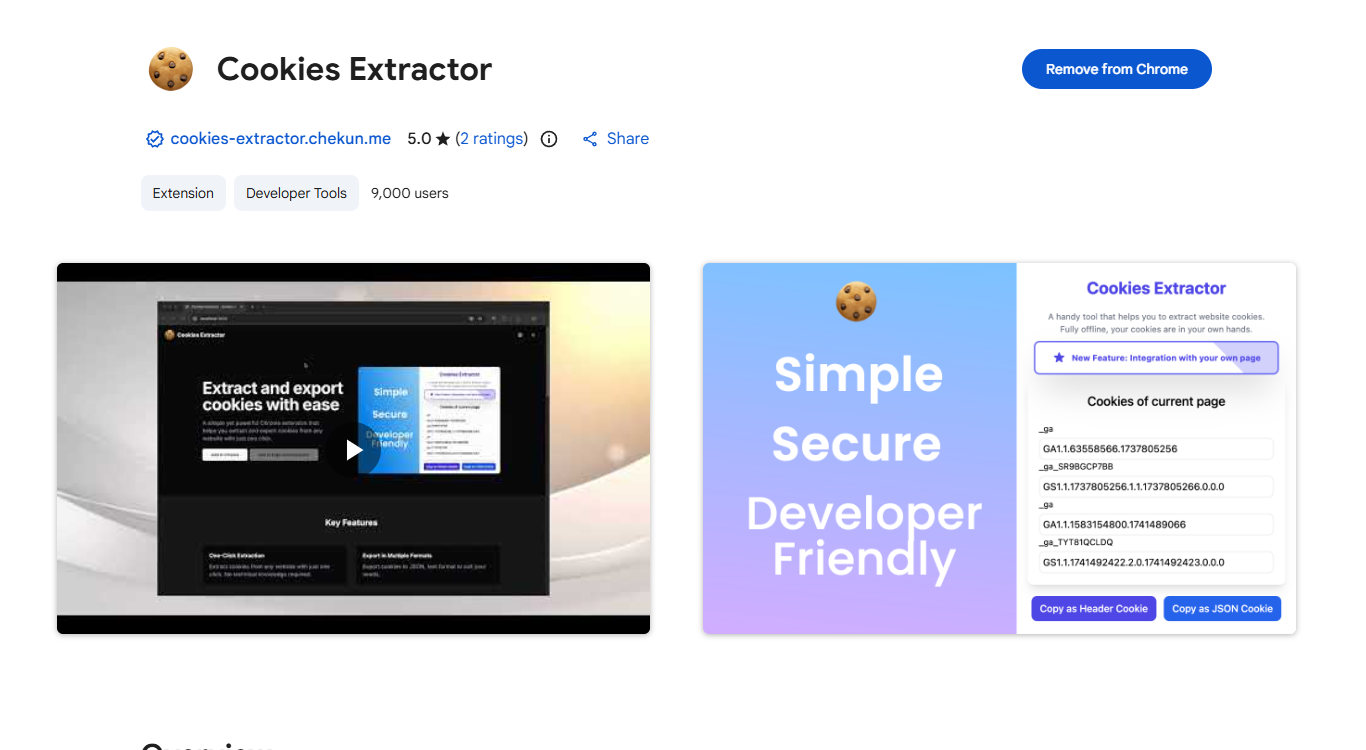
1️⃣ Install Cookies Extractor Extension
- Go to the Chrome Web Store 🌍
- Download the Cookies Extractor extension 🍪
- 🔗 URL: Cookies Extractor
📸 Example Screenshot:
2️⃣ Log in to Amazon Associate Account
- Navigate to the Amazon.in website 🛒
- Log in with your Amazon Associate account email address and password 🔑
⚠️ Important: Make sure you are logged in as an Amazon associate account and not with a non-amazon associate account, otherwise it will not convert Amazon links into the amzn.to format. ❌
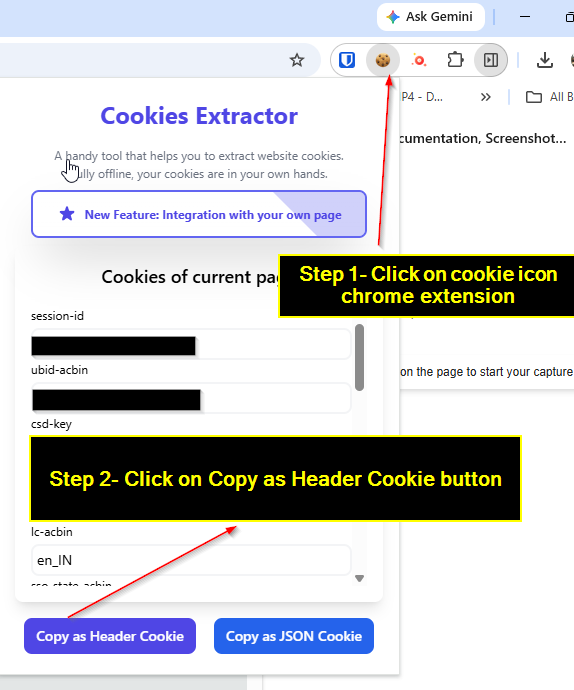
3️⃣ Extract the Cookie
- Stay on the Amazon.in website page 📌
- Click on the installed Cookies Extractor icon in your browser extension bar 🍪
- Click on the Copy as Header Cookie button to copy your cookie 📋
📸 Example Screenshot:
4️⃣ Paste Cookie & Save Settings
- Go back to the Affiliate Solution website and navigate to Manage Shorteners.
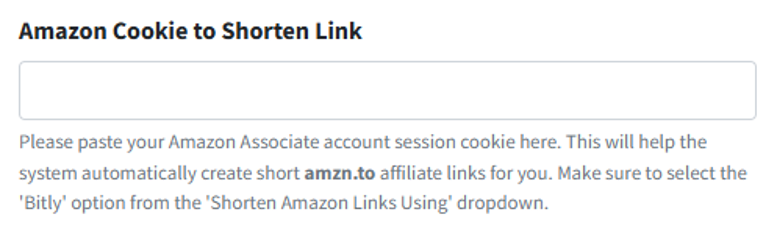
- Find the “Amazon Cookie to Shorten Link” text box 📝
- Paste your copied Amazon cookie there 📋
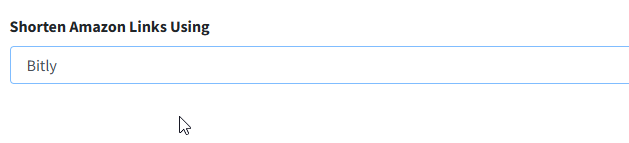
- Under the “Shorten Amazon Links Using” drop-down, select Bitly 🔽
- Click on the Save button ✅
⚠️ IMPORTANT: DO NOT LOGOUT FROM AMAZON.IN WEBSITE FROM BROWSER ONCE COOKIE GENERATED
📸 Example Screenshots:
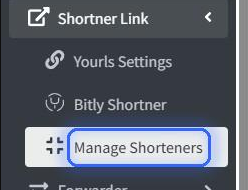
To convert link in amzn.to select Bitly option from dropdown
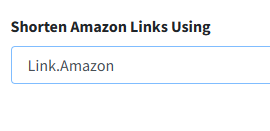
To convert link in link.amazon select Link.Amazon option from dropdown
5️⃣ Restart Express Bot
- Go to your Express Bot 🤖
- Send the
/restartcommand to apply changes 🔄
🔥 That's it! Now, all your Amazon links will start converting to amzn.to or link.amazon format.
📌 Common Issues & Troubleshooting
❓ Amazon links are not getting shortened
- Ensure Bitly or YOURLS is selected instead of Default.
- Cuttly does NOT work for Amazon (Amazon’s policy).
❓ Why is my Amazon link not getting shortened even after I added the Amazon cookie?
- Make sure you pasted the full Amazon cookie correctly without missing any characters.
- Ensure you have not logged out of your Amazon account on the browser where you extracted the cookie (logging out invalidates the session cookie).
- Verify that the account you logged into is an active Amazon Associate account, not just a regular buyer account.
- Check that you selected Bitly from the "Shorten Amazon Links Using" dropdown.
- Ensure you restarted the Express Bot (
/restart) after saving the cookie settings. - If it still fails, regenerate a fresh Amazon cookie using the extension and paste it again into the Affiliate Solution website.
❓ Shortener not working for Flipkart or Other Stores
- Ensure you have selected the correct shortener for each store.
- Check if Bitly or YOURLS tokens are added correctly.
❓ My links are still posting as full URLs
- Make sure the selected shortener is enabled.
- Restart the Express Bot to apply the settings.
🎯 Next Steps
✅ You have successfully set up Link Shorteners & Amazon Cookies! 🚀
🔗 Now, your deal links will appear shorter and more clickable. 🔥